Open source · MIT · Windows 10 & 11

Screen Recorder Windows with clean output.

Record your monitor, pick a window, or grab a region — no watermark, no account, no clutter in the frame. Audio from your mic and speakers goes straight into the MP4 alongside your video, and you control everything with a hotkey while your other apps stay open.

No watermark everAlways completely freeWorks fully offlinev1.0.1
No watermarkHotkey controlMic + speakersRegion capturePortable tool
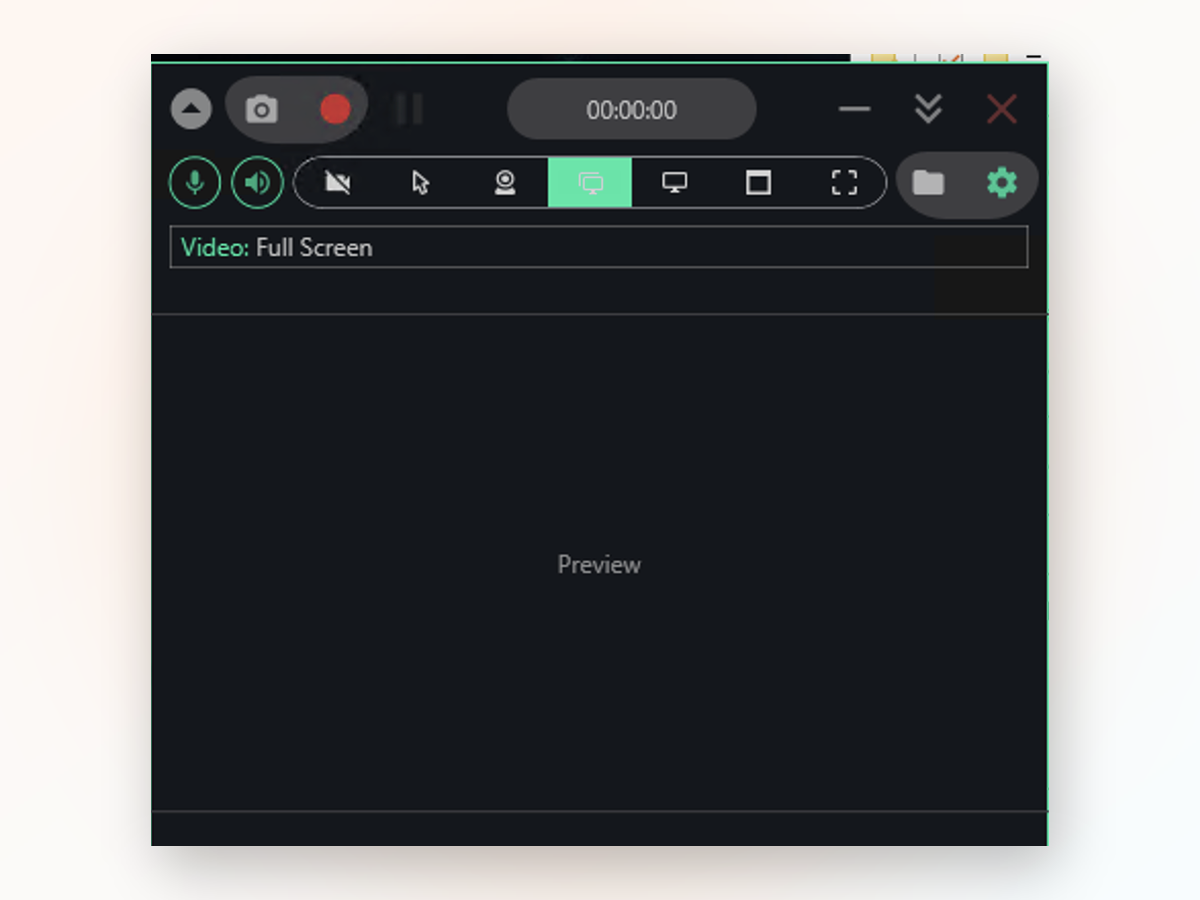
Screen Recorder Windows app window on Windows
Real output
Inside the appScreen Recorder Windows window

See what you actually record.

SwiftRec captures exactly what's on your screen without adding borders, logos, or overlays that clutter the shot. Your finished MP4 is ready to use straight away — no editing needed to strip out branding.

Clean MP4 filesH.264 video with your choice of audio tracks, saved locally without any marks.
Webcam bubble includedAdd yourself as a small video window on top of your recording for tutorials or reactions.
Click and keystroke overlayToggle visual indicators so viewers see exactly what you're clicking and typing.
Why it's different

Why use this instead of what Windows gives you.

The built-in Game Bar is handy for clips, but it skips File Explorer, won't record a drawn region, and ties you to its settings.

01

Record anything on your screen

Full screen, single window, free-form region, or a specific monitor — you pick the source before you start. Game Bar can't do this.

02

Control with a single hotkey

Press once to record, again to stop — no window switching, no toolbar hunting. Your app stays in focus the whole time.

03

Both audio tracks at once

Mic and system sound get mixed into one MP4. Talk over a video call, a game, or a presentation without losing either.

04

Runs from any folder

Extract and launch — no installer, no background service, no admin rights needed. Move it to USB if you want.

Setup takes seconds

Get started in four steps.

You'll be recording in under a minute.

1
Extract the downloadUnzip the folder and open it — the app launches straight from there.
2
Choose what to recordPick full screen, a window, a region you draw, or a single monitor from the toolbar.
3
Toggle audio on or offClick the mic and speaker icons to decide which sounds go into your video.
4
Press record and stopHit the red button or your hotkey to start, then stop when you're done — the file saves to your Videos folder.
What you need

What you are downloading.

Version1.0.1
PlatformWindows 10 and 11, 64-bit
InstallPortable, no installer
LicenseMIT, source on GitHub
PriceFree, no account
LanguageEnglish
vs. online tools

How it stacks up against online tools.

Web-based recorders ask for login and often add watermarks; this one runs on your PC and keeps everything local.

 Screen Recorder WindowsOnline screen tools
Account requiredNot neededYes, usually
Watermark on outputNoneCommon
Works offlineFully offlineNeeds internet
Record system audioYes, with micLimited or blocked
File stays on your PCAlways localUploaded to server
Download sizeSmall, portableBrowser dependent
Got questions?

Got questions?

Start recording right now.

No setup, no login, no waiting — just download, extract, and hit record.

Download for Windows
Latest release · v1.0.1